
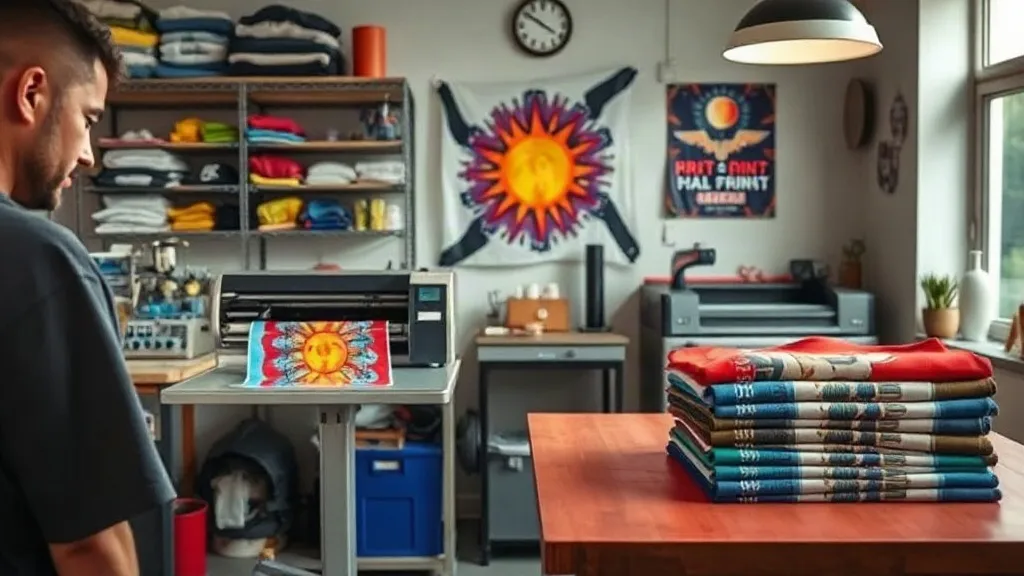
If you run a small print shop, you know that staying competitive means offering versatile, high-quality printing options without breaking the bank. DTF transfers have emerged as a game-changer for businesses like yours, allowing you to print vibrant, full-color designs on a wide range of fabrics with minimal setup. Unlike traditional screen printing or vinyl cutting, DTF (Direct-to-Film) technology eliminates the need for expensive equipment and complex processes, making it accessible even for startups. In this guide, we'll walk you through everything you need to know to integrate DTF into your shop, from understanding the basics to troubleshooting common issues. Whether you're a seasoned printer or just starting out, this comprehensive resource will help you make informed decisions and deliver outstanding results to your customers.
What Are DTF Transfers and Why Should Your Shop Care?
DTF transfers are a modern printing method where designs are printed onto a special film, coated with adhesive powder, and then heat-pressed onto fabric. This process allows for intricate, multi-color designs without the limitations of color separation or the need for specialized platen setups. For small print shops, this means you can accept a wider variety of orders, from single custom pieces to small batches, without investing in screen setups or outsourcing. The dtf method is particularly appealing because it works on almost any fabric, including cotton, polyester, blends, and even some synthetics, giving you the flexibility to serve diverse customer needs.
How DTF Compares to Other Printing Methods
When you're deciding which printing method to use, it helps to see how DTF stacks up against the competition. Here's a quick comparison:
- Screen Printing: Great for large orders and bold designs, but setup costs and time make it less ideal for small runs or complex designs.
- Vinyl Cutting: Perfect for simple, single-color designs, but limited in detail and color blending.
- DTF: Offers full-color, detailed prints with no minimum order, low setup, and works on many fabrics. Ideal for small shops that need versatility.
For a small shop, DTF provides a sweet spot: you can handle one-off custom requests and still produce professional-grade results that keep customers coming back.
Setting Up Your DTF Workflow
Getting started with DTF requires a few key components: a DTF printer, transfer film, adhesive powder, and a heat press. While the initial investment might seem daunting, the ROI can be significant given the low cost per print and the ability to take on new types of orders. Here's a step-by-step overview to help you set up an efficient workflow.
Choosing the Right Equipment
Not all DTF printers are created equal. For a small shop, you'll want a printer that balances quality, speed, and affordability. Look for models that use pigment inks and have a reliable white ink circulation system to prevent clogging. A printer with a built-in powder shaker can also streamline the process, reducing manual steps and potential mess. When it comes to heat presses, a clamshell or swing-away press with consistent pressure and temperature control is essential. Don't skimp on this component; a good press ensures even transfers and durable results.
Materials You'll Need
Besides the printer and press, you'll need high-quality DTF film and adhesive powder. The film should be compatible with your printer and designed for DTF use; using the wrong film can lead to poor ink adhesion or transfer failures. Adhesive powder comes in different mesh sizes, with finer powders (like 80-100 microns) being better for detailed designs. It's also wise to stock up on heat-resistant tape and parchment paper for pressing.
Step-by-Step DTF Transfer Process
Mastering the DTF process is straightforward once you understand the steps. Here's a detailed breakdown to guide you from design to finished product.
1. Preparing Your Design
Start with a high-resolution image (300 DPI is recommended) and ensure it's mirrored before printing. This is crucial because the design will be transferred face-down onto the fabric. Use your printer's RIP software to adjust color settings and ensure the white ink layer is properly generated. For best results, include a white underbase for dark fabrics to make colors pop.
2. Printing onto DTF Film
Load the DTF film into your printer according to the manufacturer's instructions. Print the design, making sure the white ink layer is printed last (or first, depending on your printer's setup). Allow the print to dry completely before moving to the next step. Some printers have a built-in heater to speed up drying, but if not, a gentle heat gun can help.
3. Applying Adhesive Powder
Once the print is dry, sprinkle adhesive powder evenly over the wet ink. Shake off excess powder and then cure the powder using a heat source, such as a heat press or a dedicated powder curing oven. The powder should melt and form a smooth, slightly glossy layer. This step is critical for the transfer's durability; under-curing leads to poor washability, while over-curing can cause the powder to yellow.
4. Heat Pressing the Transfer
Set your heat press to the recommended temperature (usually around 300-320°F or 150-160°C) and pressure (medium to firm). Place the transfer face-down onto the fabric, cover with parchment paper, and press for 10-15 seconds. Peel the film while it's still hot (hot peel) or after it cools (cold peel), depending on the film type. Always follow the film manufacturer's instructions for the best results.
Common DTF Problems and How to Fix Them
Even with the best setup, you might encounter issues. Here are some common problems and their solutions.
Poor Ink Adhesion or Cracking
If the transfer peels or cracks after washing, it's likely due to insufficient pressure, incorrect temperature, or under-cured powder. Double-check your press settings and ensure the powder is fully melted. Also, make sure the fabric is clean and free of wrinkles before pressing.
White Ink Not Printing Properly
White ink is notorious for clogging. Regular maintenance, such as daily printhead cleanings and keeping the printer in a dust-free environment, can prevent issues. If you notice missing nozzles, run a cleaning cycle and check the ink levels. Using a printer with a white ink circulation system can greatly reduce these problems.
Transfer Film Sticking to the Press
This can happen if the film is overheated or if there's excess powder. Use parchment paper between the film and the press, and ensure you're not applying too much powder. Also, allow the film to cool slightly before peeling if you're using a cold-peel film.
Why Local Shops Are Turning to DTF
In today's competitive market, customers expect fast turnaround and high quality. Many small shops are discovering the benefits of sourcing dtf transfers near me to complement their in-house capabilities. Whether you're outsourcing to handle overflow or to offer DTF without the initial investment, local suppliers can provide quick delivery and support. This approach allows you to test the waters before committing to your own DTF setup.
Frequently Asked Questions About DTF Transfers
How durable are DTF transfers?
When properly applied, DTF transfers are highly durable and can withstand multiple washes without fading or cracking. The key is to follow the correct temperature, pressure, and curing times. Most transfers last as long as the garment itself.
Can I use DTF on any fabric?
DTF works on a wide range of fabrics, including cotton, polyester, blends, and even some nylons. However, fabrics with special coatings or finishes may require testing. It's always best to do a test press on a small area first.
What's the difference between hot peel and cold peel DTF film?
Hot peel film allows you to remove the carrier sheet immediately after pressing while it's still hot, which can speed up production. Cold peel film requires you to wait until the transfer cools before peeling, which can sometimes yield a smoother finish. The choice depends on your workflow and the film manufacturer's recommendations.
How do I store DTF transfers?
Store unused DTF transfers in a cool, dry place away from direct sunlight. Keep them flat to avoid creasing. Properly stored transfers can last for several months.
Is DTF cost-effective for small orders?
Yes, DTF is very cost-effective for small orders because there's no minimum quantity and setup costs are minimal. You can print one-off designs without the waste associated with screen printing.
Taking Your Shop to the Next Level with DTF
Integrating DTF into your small print shop can open up new revenue streams and delight customers with vibrant, durable prints. By understanding the process, investing in the right equipment, and learning to troubleshoot common issues, you'll be well on your way to mastering this versatile technology. Remember, quality supplies and proper technique are the keys to success. So why wait? Explore the possibilities of DTF today and watch your business grow.